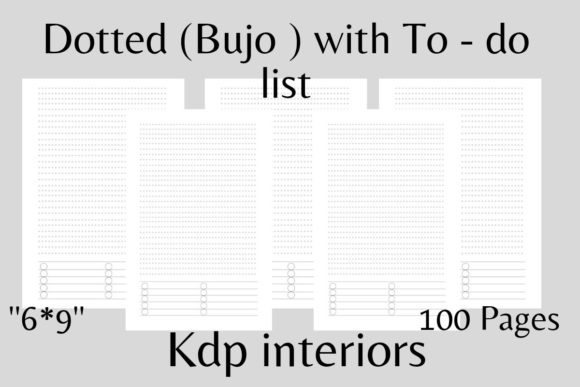
Evaluating Dotted KDP Interiors with To-Do Lists for Hybrid Planning and Journaling
Selecting the right interior layout is often the most critical decision in creating a functional low-content book or personal printable. For creators and users navigating the space between structured planning and creative freedom, Dotted KDP Interiors with to-do list elements offer a distinct hybrid solution. This specific format combines the flexibility of a bullet journal grid with the actionable structure of task management. Unlike standard lined notebooks or pure dot grid journals, this variation integrates dedicated checklist areas directly into the page architecture, reducing the friction of drawing repetitive structures by hand.
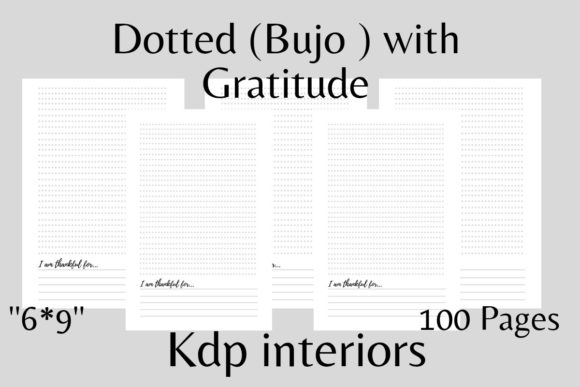
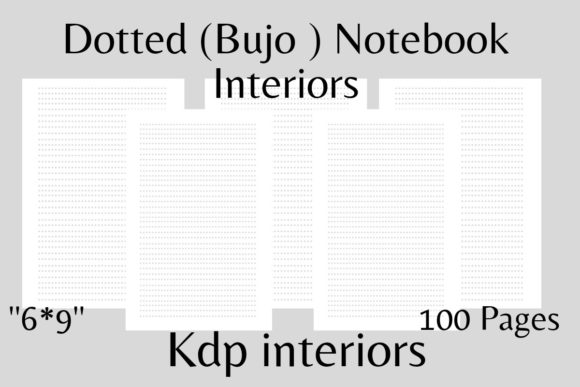
When evaluating this format for Amazon KDP upload or digital download, technical precision is as important as functional design. A tested, ready-to-use file formatted at 6x9 inches with 100 pages provides a standardized canvas that balances portability with sufficient writing space. Understanding the nuances of bleed settings, margin safety zones (specifically 0.25" to 0.5"), and 300 DPI resolution ensures the final product meets professional publishing standards. However, beyond technical compliance, the decision to use this specific interior type should be driven by user behavior, market saturation analysis, and the specific cognitive load the notebook is intended to manage.
Functional Distinctions: Hybrid Layouts vs. Traditional Formats
To determine if a dotted interior with integrated to-do lists is the optimal choice, it is necessary to compare it against the three dominant alternatives in the productivity notebook category: standard dot grids, lined journals, and pre-dated planners.
Standard Dot Grid Notebooks: Pure dot grid interiors are the industry standard for bullet journaling because they offer maximum versatility. Users can draw calendars, trackers, habit logs, or freehand sketches without visual interference. The tradeoff is setup time. Every time a user wants a to-do list, they must measure and draw boxes or lines. For users who value speed over customization, a pure dot grid can feel like a barrier to entry. Dotted KDP interiors with to-do list sections solve this by providing a permanent anchor point for tasks while leaving the remaining dot grid space open for notes, mind mapping, or project breakdowns.
Lined Journals: Traditional lined paper excels at long-form writing but fails at spatial organization. Drawing a checkbox on a horizontal line often results in messy alignment, and separating tasks from general notes requires significant mental effort. While lined journals remain superior for diary entries or meeting minutes, they lack the modular utility required for modern task management. The dotted-to-do hybrid retains the horizontal guidance for handwriting legibility through the dots but adds the vertical modularity that lined paper lacks.
Pre-Dated Planners: Dated planners offer the highest level of structure but the lowest level of flexibility. If a user misses three days, those pages become wasted paper, leading to abandonment. Furthermore, dated layouts dictate how much space is allocated to tasks versus reflection. A 6x9 dotted interior with undated to-do sections allows for "pause-proof" planning. Users can skip days without guilt and allocate space dynamically based on daily needs rather than a pre-printed calendar constraint.
Technical Specifications and Print Quality Considerations
For creators preparing files for KDP or high-quality home printing, adherence to specific technical parameters prevents common production failures. The 6x9 inch trim size is currently the most versatile option for adult productivity tools. It fits in standard bags, accommodates most handwriting sizes, and offers a lower printing cost per page than larger formats like 8.5x11.
Resolution and Line Weight: Files must be exported at 300 DPI. Lower resolutions result in pixelated dots that appear gray or fuzzy in print, which degrades the user experience. Crucially, the opacity of the dots matters. In black and white printing, solid black dots can sometimes bleed through standard 55# (90 GSM) KDP paper. Experienced designers often use a dark gray (e.g., 40-60% K) for the dot pattern itself to reduce show-through, while keeping the to-do list checkboxes and headers at 100% K for crisp definition. This contrast hierarchy guides the eye without overwhelming the page.
Margins and Bleed Safety: The specification of margins ranging from 0.25" to 0.5" serves a dual purpose. On the gutter side (inner margin), a minimum of 0.375" to 0.5" is essential for 100-page books to prevent content from being swallowed by the binding. KDP’s perfect binding requires this clearance; otherwise, users cannot write in the checklist area near the spine. The outer margin of 0.25" satisfies the minimum safety zone for non-bleed designs. If the design includes elements extending to the edge of the page, true bleed (adding 0.125" to all sides) is required, but for most dotted interiors with to-do lists, maintaining a clean, non-bleed safe zone is preferable to ensure consistent framing across different print facilities.
User Experience Tradeoffs and Best-Fit Scenarios
No single layout serves every demographic. Evaluating the strengths and limitations of dotted KDP interiors with to-do lists helps in positioning the product correctly or selecting the right tool for personal use.
Strengths and Ideal Use Cases
- Rapid Logging: This format is ideal for professionals and students who need to capture tasks quickly during meetings or lectures. The pre-existing structure eliminates decision fatigue regarding where to place items.
- Project-Based Organization: Unlike daily planners, these interiors support project-centric workflows. A user can dedicate one spread to a specific project, using the to-do section for action items and the adjacent dot grid for diagrams, timelines, or brainstorming.
- Digital-Physical Hybrid Workflows: For printable versions, this layout scans well. The clear distinction between the task area and the note area makes it easier to digitize completed lists into apps like Notion or Trello while keeping analog notes separate.
Limitations and When to Choose Alternatives
- Restricted Artistic Freedom: For users primarily interested in art journaling or complex doodling, the fixed to-do section may feel restrictive. Pure dot grid or blank interiors are better suited for creative expression where structure is secondary.
- Inflexible Task Volume: If a user consistently generates more than 15-20 tasks per day, a fixed to-do area may run out of space. Conversely, light users may find the empty checklist area wasteful. Variable layouts or purely lined notebooks may serve extreme high-volume or low-volume users better.
- Left-Handed Ergonomics: Standard KDP interiors typically place margins and binding on the left. Left-handed users often struggle with gutter margins in 6x9 books. Creating or sourcing a mirrored version (or a wide-margin version specifically for lefties) addresses this accessibility gap that standard templates ignore.
Market Positioning and Value Proposition
For sellers, the market for generic dotted notebooks is highly saturated. Differentiation relies on specificity. A "Dotted Notebook" competes with millions of results. A "6x9 Project Management Journal with Integrated Task Lists and Dot Grid Notes" targets a specific intent. The value proposition shifts from "paper with dots" to "a system for organizing work."
When comparing resources, buyers are increasingly looking for "tested" interiors. This implies that the spacing has been validated for actual handwriting size, the margins account for real-world binding thickness, and the paper weight considerations have been factored into the ink density. Providing detailed previews of the interior spread, rather than just the cover, builds trust. Buyers need to verify that the to-do list box size accommodates their handwriting and that the dot spacing (typically 5mm) aligns with their preferred pens.
Making the Final Selection
The decision to utilize or purchase dotted KDP interiors with to-do list functionality ultimately rests on the balance between structure and freedom. It is a pragmatic middle ground designed for users who have graduated from rigid planners but require more scaffolding than a blank notebook provides.
If the primary goal is archival journaling or creative sketching, alternative formats will likely yield higher satisfaction. However, for actionable planning, project tracking, and daily task management within a portable 6x9 form factor, this hybrid interior offers a superior functional baseline. Ensuring the file meets the 300 DPI, 100-page, and precise margin specifications guarantees that whether used as a physical KDP book or a digital printable, the tool performs reliably under daily use. By focusing on these tangible usability factors rather than aesthetic trends, creators and users can select resources that genuinely support sustained productivity habits.