KDP Interiors Christmas Gift Tracker: A Practical Guide to 6x9 No-Bleed Templates
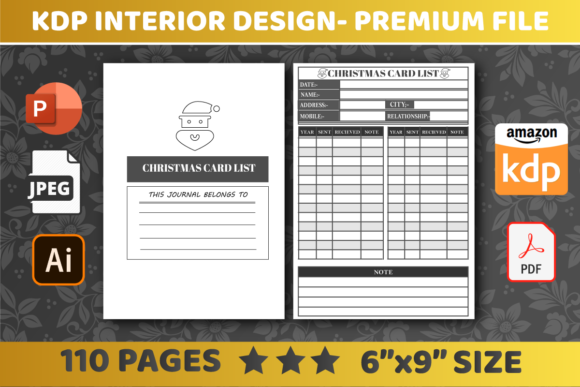
The holiday season brings joy, but for Amazon KDP publishers, it also brings a tight deadline. Creating a functional KDP Interiors Christmas Gift Tracker is one of the most reliable ways to capitalize on Q4 traffic, yet many creators stumble over technical specifications that lead to rejected manuscripts or poor customer reviews. When you are working with a specific format like a 6″ x 9″ interior with 110 pages and no bleed settings, precision matters far more than artistic flair. Understanding the nuances of this specific product type ensures your low-content book is not only approved quickly but also provides genuine utility to the end user.
Understanding the Specifics of the 6x9 No-Bleed Format
Before you upload any file, you must understand why the "No Bleed" setting dictates your entire design strategy. A common misunderstanding among new publishers is assuming that a 6″ x 9″ template allows graphics to touch the edge of the page. When a KDP Interiors Christmas Gift Tracker is designated as "No Bleed," Amazon requires a mandatory safety margin. If your festive borders, holly illustrations, or table lines extend to the very edge of the PDF canvas, the automated review system will flag the file immediately.
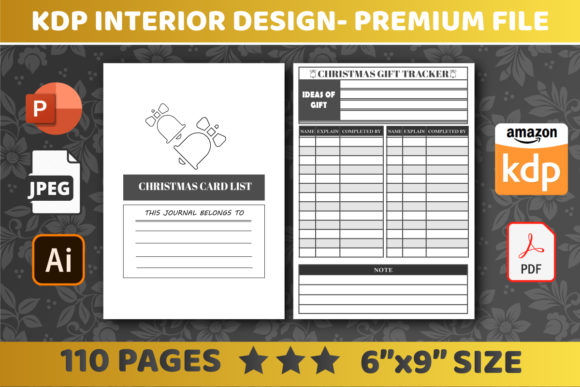
This mistake often stems from using generic templates without verifying the trim size settings. For a 6x9 no-bleed book, you should maintain an inner margin of at least 0.375 inches and outer margins of 0.25 inches. While the provided files (PDF, AI, JPEG, PPT) may be technically correct, failing to check these margins in your editing software before export can result in days of lost sales time during the critical pre-holiday rush. Always verify that the live area of your gift tracker respects these boundaries to ensure a professional finish.
Evaluating Page Count and Usability
The specification of 110 pages is significant for a gift tracker. A frequent error creators make is treating this page count as arbitrary filler rather than a structural feature. In a 6″ x 9″ format, 110 pages provide ample space for tracking, but only if the layout is efficient. If your tracker uses two full pages per gift entry, you limit the user to tracking only 55 items. For many families, this is insufficient. Conversely, cramming four entries onto a single page makes the writing space too small for adults to use comfortably.
Better approaches involve testing the usability before finalizing the master file. Print a sample page at actual size on standard paper. Can you write a recipient's name, gift idea, budget, purchase date, and wrapping status legibly? If the answer is no, the interior needs adjustment regardless of how attractive the digital preview looks. The goal of a KDP Interiors Christmas Gift Tracker is functionality; aesthetic appeal should never compromise the primary purpose of organizing holiday shopping.
Navigating File Formats and Editability
Having access to multiple file formats including PDF, AI, JPEG, and PPT offers flexibility, but it also introduces version control risks. One of the most overlooked details is font licensing and embedding. When you edit a PPT or AI file to customize the tracker, you might inadvertently substitute a licensed font with a system default because the original font isn't installed on your machine. This changes line spacing and table alignment, potentially pushing content into the unsafe margin zone.
To avoid this, always open the source file and immediately check the font list. If you plan to modify the KDP Interiors Christmas Gift Tracker, ensure you have the commercial license for every typeface used. Furthermore, when exporting your final version for marketplace upload, rely exclusively on high-resolution PDF. While JPEG files are included in the package, they are generally intended for marketing mockups or cover creation, not for the interior manuscript. Uploading rasterized images as interior pages can result in pixelated text and blurry lines, which leads to negative feedback regarding print quality.
The Importance of Vector vs. Raster Elements
Even within a PDF, elements can be rasterized. A practical warning for editors: zoom in to 400% on your exported PDF. Are the table borders crisp, or do they look jagged? Vector lines remain sharp at any magnification, while rasterized lines degrade. Since this is a ready-for-upload asset, the expectation is professional grade. If you are combining elements from the provided JPEG assets into your PDF layout, ensure they are placed at 300 DPI minimum. Low-resolution decorative elements in a 6x9 book are glaringly obvious in print and detract from the perceived value of the product.
Marketplace Readiness and Customer Expectations
"Ready for upload" implies technical compliance, but successful publishing requires meeting market expectations. A major pitfall is neglecting the first few pages of the 110-page block. Users expect a title page, a copyright page, and perhaps a "This Book Belongs To" section. If your template starts immediately with tracking grids on page one, it feels unfinished. Utilize the editable nature of the files to add these front matter elements. It takes minutes to do but significantly enhances the user experience and justifies a higher price point.
Additionally, consider the binding gutter. With 110 pages in a 6x9 paperback, the spine will have noticeable thickness. Tables that span across the center fold need extra gutter margin—typically an additional 0.125 to 0.25 inches beyond the standard safe zone. If columns for "Price" or "Date" fall too close to the binding, users will struggle to write in them. Reviewing the interior with a physical prototype or a precise digital spread view helps identify these ergonomic issues before customers do.
Avoiding Seasonal Saturation Mistakes
While the focus here is technical, content relevance drives sales. A subtle mistake is creating a tracker that is too generic. Since you can easily edit these interiors, take the opportunity to differentiate. Instead of standard columns, consider adding sections for "Gift Wrapping Supplies Needed" or "Shipping Deadlines." These additions utilize the 110-page capacity more effectively and address specific pain points of holiday planning. However, balance is key; adding too many fields creates visual clutter. Test different layouts to find the sweet spot between comprehensive tracking and clean design.
Final Verification Checklist Before Publishing
Before you hit publish on your KDP Interiors Christmas Gift Tracker, run through a corrective verification process. This goes beyond the basic KDP previewer:
- Margin Audit: Measure the distance from the trim edge to the nearest text or graphic element on multiple random pages to ensure consistency.
- Font Embedding: Confirm all fonts are embedded in the final PDF to prevent substitution errors during printing.
- Grayscale Check: View the file in grayscale. Many Christmas designs rely on color contrast that disappears in black-and-white printing, making tables unreadable.
- Page Order: Verify that left-hand and right-hand pages align correctly, especially if using mirrored margins or alternating header designs.
- Metadata Alignment: Ensure your book description accurately reflects the 6x9 size and 110-page count to prevent returns due to mismatched expectations.
By addressing these technical and practical considerations, you transform a simple template into a high-quality product. The difference between a rejected file and a bestseller often lies in these minute adjustments. Treat the KDP Interiors Christmas Gift Tracker not just as a digital asset, but as a physical tool that someone will hold in their hands during a busy season. Prioritizing usability and print standards over speed ensures your entry into the holiday market is both profitable and reputable.