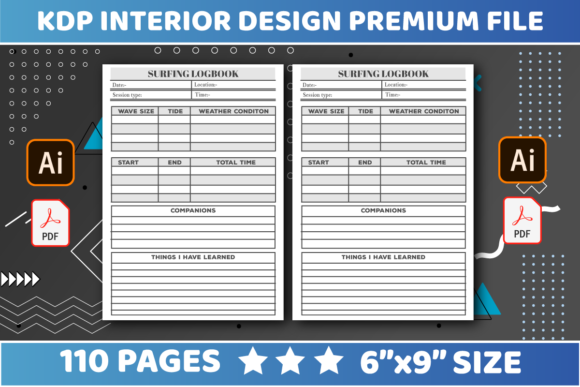
KDP Interiors Surfing Logbook: A Practical Guide to Creating Functional Wave Journals
The niche of activity journals has grown significantly on Amazon KDP, and for good reason. Enthusiasts want tangible ways to track their progress, memories, and conditions. The KDP Interiors Surfing Logbook serves this specific demand by providing a structured template for surfers to record wave height, wind direction, tide charts, and personal performance notes. For creators and entrepreneurs in the low-content publishing space, this interior offers a streamlined path to market. However, the difference between a bestseller and a returned product often lies in the technical execution and user experience design rather than the concept itself.
Many publishers rush to upload these interiors without fully understanding how the physical constraints of print-on-demand affect usability. A logbook is a tool first and a book second. If a surfer cannot comfortably write in it while sitting on a tailgate or at a beach house, the product fails its primary purpose. Understanding the specific dimensions, file formats, and layout nuances is essential for creating a high-quality asset that stands out in a saturated marketplace.
Critical Dimension and Margin Misunderstandings
The most frequent error occurs during the initial setup phase regarding trim size and safe zones. This specific interior is designed at 6″ x 9″ inches, which is the industry standard for portable logbooks. It strikes the right balance between writing surface area and backpack portability. However, simply selecting 6x9 in your publishing dashboard is not enough. You must account for the binding gutter.
A common oversight is placing entry fields too close to the inner margin. When a 110-page book is bound, the pages curve into the spine. If your "Wave Height" or "Conditions" columns are within 0.375 inches of the gutter, users will have to break the spine just to read what they wrote. This damages the book and frustrates the customer. Always maintain a minimum inside margin of 0.75 inches for a 110-page count to ensure the writing area remains flat and accessible. Conversely, leaving excessive white space makes the logbook feel sparse and overpriced. Aim for a balanced layout where the printable area utilizes the 6x9 canvas efficiently without feeling cramped.
The No Bleed Trap
This interior specification explicitly states No Bleed. This is a crucial detail that many automated tools or inexperienced designers ignore. Selecting "Bleed" when uploading a no-bleed PDF results in Amazon shrinking your content to fit the bleed safety margins, effectively reducing your 6x9 logbook to something smaller and misaligned. Alternatively, if you select "No Bleed" but your artwork extends to the edge, the printer will crop off vital information.
Always verify that your background elements, borders, and lines stop at least 0.25 inches from the outer edge. Since this is a functional logbook, clean edges are preferable to full-bleed graphics anyway. Surfers prefer high contrast and clarity over decorative backgrounds that might interfere with handwriting legibility. Respecting the no-bleed setting ensures your interior prints exactly as intended, maintaining professional consistency across every copy.
Evaluating Page Count and Structural Integrity
The specification of 110 pages is deliberate, yet often misunderstood. Beginners sometimes assume more pages equal higher value. In reality, a surfing logbook needs to be lightweight. A 200+ page journal becomes heavy and cumbersome to carry to the beach. Furthermore, thicker books require wider gutters, further reducing usable writing space on a 6x9 trim.
However, 110 pages can also be a pitfall if the repetition is mindless. Do not simply duplicate the same spread 55 times. A superior approach involves varying the content structure:
- Daily Logs: Standard tracking for individual sessions.
- Monthly Reviews: Summary pages for identifying seasonal patterns.
- Equipment Tracker: Dedicated spreads for board dimensions, wax types, and fin setups.
- Tide Charts: Reference pages specific to local breaks.
If you are editing this interior, use the 110-page limit as a framework for variety rather than mere volume. Users appreciate a logbook that helps them analyze their progression over time, not just record isolated events. Ensuring the page count supports a narrative arc of improvement increases the perceived value and reduces returns due to "repetitive content" complaints.
File Format and Editability Best Practices
Technical compatibility dictates your workflow efficiency. This resource provides files in both PDF and AI (Adobe Illustrator) formats. Relying solely on the PDF is a missed opportunity for differentiation. While the PDF is print-ready, the AI file allows for genuine customization. Many sellers fail because they upload the stock interior exactly as provided. To compete effectively, you should utilize the editable source files to tailor the logbook to specific sub-niches.
For example, you might adjust the terminology for big-wave surfers versus longboarders, or add localized spot maps. Editing in Illustrator ensures vectors remain crisp at any resolution. Avoid converting AI files to raster images like JPEG or PNG before generating your final PDF. Rasterization introduces pixelation and artifacts that look unprofessional in print. Always export directly from vector software to high-resolution PDF (300 DPI minimum) to preserve line sharpness. Blurry table lines or text are immediate indicators of low quality and lead to negative reviews.
Typography and Usability Checks
When editing the AI files, pay close attention to font choices and line weights. A surfing logbook is often used in bright sunlight or dim evening light. Low-contrast gray lines look elegant on screen but disappear on standard cream paper. Ensure all writing guides are at least 0.5pt weight and use dark gray or black ink. Test your typography by printing a sample page at actual size before finalizing. What looks readable at 100% zoom on a monitor may be too small for handwriting in physical form. Line spacing should accommodate various pen sizes and handwriting styles; tight ruling discourages use.
Making Informed Decisions Before Publishing
Before you finalize your KDP Interiors Surfing Logbook, conduct a thorough pre-flight check. Verify that your metadata accurately reflects the interior contents. If your title claims "Tide Charts Included" but the 110 pages only contain blank session logs, you violate customer trust. Accuracy in description matches accuracy in production.
Consider your target audience’s practical environment. Are they beginners needing educational prompts about swell direction? Or are they veterans wanting minimalist data points? The "Easily Edit" feature exists so you can answer this question through design. Don't settle for generic. Adjust headers, add motivational quotes relevant to ocean safety, or include gear maintenance checklists. These small additions transform a commodity template into a specialized tool.
Finally, remember that quality assurance is an ongoing process. Order a proof copy every time you make significant edits to the AI file or change paper type settings. Colors shift, margins vary slightly between print facilities, and binding tolerances change. Seeing the physical 6x9 book in hand is the only way to confirm that your digital adjustments translate to a satisfying user experience. By treating the technical specifications as guidelines for excellence rather than arbitrary rules, you create a surfing logbook that serves its community well and builds a sustainable publishing portfolio.