Designing a Functional KDP Interiors Weight Tracker Journal: Specs, Editing, and User Experience
Creating a successful low-content book on Amazon requires more than just uploading a generic template; it demands a strategic approach to interior design that balances aesthetic appeal with practical utility. When developing a KDP Interiors Weight Tracker Journal, the specific technical parameters you choose directly influence both the printing quality and the end-user experience. A well-structured journal serves as a daily companion for health-conscious individuals, meaning every margin, line weight, and page count must be intentional. By focusing on precise dimensions, editable file formats, and bleed settings, creators can produce a professional-grade product that stands out in a saturated marketplace.
The Strategic Advantage of the 6x9 Inch Trim Size
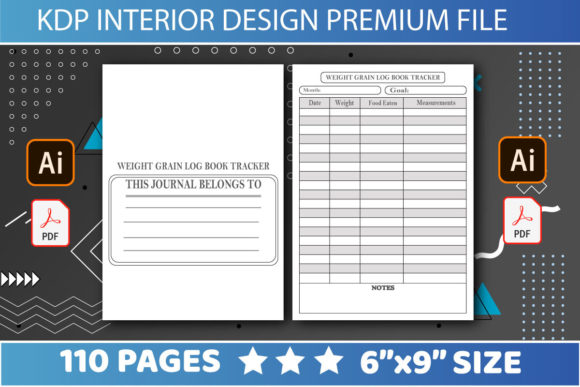
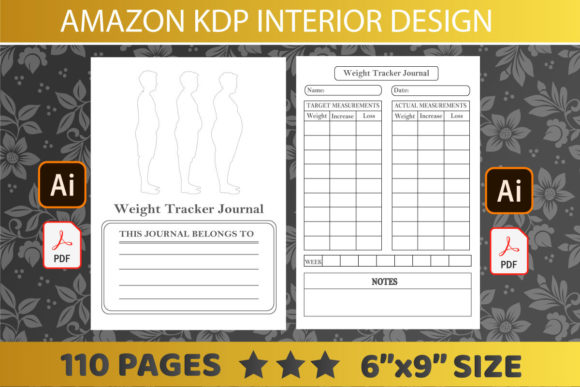
Selecting the right trim size is the foundational decision for any weight tracking publication. The 6″ x 9″ dimension has emerged as the industry standard for personal logbooks for several compelling reasons. Unlike larger 8.5″ x 11″ formats that can feel cumbersome to carry in a gym bag or purse, the 6x9 size offers a portable footprint that encourages consistent use. Consistency is the primary driver of success in weight loss journeys, so the physical form factor of the journal must reduce friction rather than add to it.
From a production standpoint, this size optimizes paper usage and spine width calculations. For a KDP Interiors Weight Tracker Journal containing 110 pages, the 6x9 format creates a spine substantial enough to display text clearly on a bookshelf while remaining slim enough to feel lightweight in hand. This balance is crucial for perceived value. Customers often associate overly thick journals with wasted space or excessive bulk, while books that are too thin may feel insubstantial. The 110-page count at this specific trim size hits a sweet spot, providing approximately three to four months of tracking space depending on the layout frequency, which aligns perfectly with typical fitness goal cycles.
Optimizing Page Count and Layout Density
The specification of 110 pages is not arbitrary; it represents a calculated volume that supports habit formation without overwhelming the user. When designing the interior, this page count allows for a comprehensive structure that includes introductory goal-setting sections, monthly overviews, and daily tracking logs. A common pitfall in journal design is creating layouts that are too sparse, leading to premature completion, or too dense, causing user burnout.
With 110 pages available, designers can allocate space intelligently:
- Front Matter (4-6 pages): Ownership details, measurement guides, and goal visualization.
- Monthly Spreads (12-24 pages): Calendar views and progress charts.
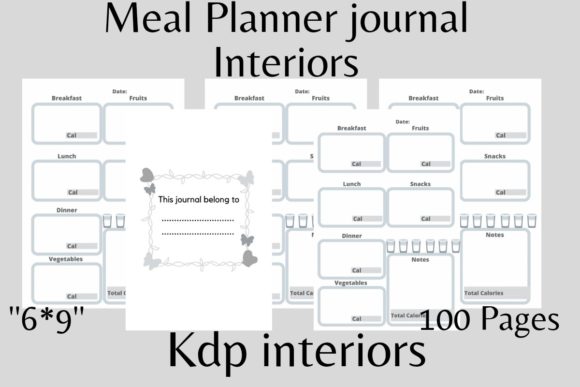
- Daily Logs (80-90 pages): The core tracking area for meals, water intake, exercise, and mood.
- Back Matter (4-6 pages): Reflection prompts, recipe notes, or future planning.
This distribution ensures the KDP Interiors Weight Tracker Journal remains functional throughout an entire season of lifestyle change, making it a viable gift item or personal investment.
Understanding No Bleed Settings for Clean Design
One of the most critical technical specifications for this type of interior is the "No Bleed" setting. In print-on-demand terminology, bleed refers to artwork or color that extends beyond the edge of the page and is trimmed off during manufacturing. While full-bleed designs are popular for coloring books or art-heavy journals, they are often unnecessary and risky for structured trackers.
Choosing a no bleed configuration for a weight tracker offers distinct advantages. First, it simplifies the design process by establishing a safe zone where all text and graphics must reside. This prevents vital tracking fields or header information from being accidentally trimmed during the binding process. Second, it reduces ink coverage costs and potential printing errors associated with heavy saturation near the gutter. For a minimalist weight tracker, clean white margins convey a sense of organization and clinical precision that aligns with the product's purpose.
When working with no bleed files, maintaining consistent margins is paramount. A minimum margin of 0.375 inches on the outside edges and 0.5 inches on the gutter (binding side) ensures readability. This negative space acts as a visual breathing room, making the data entry process less claustrophobic. Users filling out their KDP Interiors Weight Tracker Journal after a long day need clarity, not clutter, and strict adherence to no bleed guidelines facilitates this clean aesthetic.
The Importance of Editable PDF and AI Files
Perhaps the most significant value proposition for creators purchasing or downloading these interiors is the inclusion of editable source files. Receiving only a flattened PDF limits your ability to differentiate your product. However, having access to both PDF and AI (Adobe Illustrator) files transforms a static template into a dynamic asset. This flexibility is essential for modern KDP workflows where uniqueness is a ranking factor.
Editability allows for several key customizations:
- Branding Integration: Adding your logo, website URL, or social media handles to the footer or intro pages.
- Niche Specificity: Modifying generic "Food Log" headers to specific diets like "Keto Macro Tracker," "Vegan Meal Prep," or "Intermittent Fasting Window."
- Language Localization: Translating field labels for non-English markets without redesigning the entire layout.
- Aesthetic Updates: Changing font styles or line colors to match current design trends or seasonal themes.
Without editable AI files, achieving this level of customization would require rebuilding the grid from scratch. The ability to easily edit ensures that your KDP Interiors Weight Tracker Journal remains relevant and competitive, allowing you to pivot quickly based on market research or customer feedback.
Functional Elements That Drive User Retention
Beyond technical specs, the actual content architecture determines whether a user continues to utilize the journal past the first week. A high-quality interior anticipates the user's needs through thoughtful micro-interactions. Line weights should be light enough to write over with pencil but visible enough to read in low light. Input boxes should be sized appropriately for handwriting, acknowledging that users have varying penmanship sizes.
Modern weight tracking also extends beyond simple calorie counting. Effective interiors now incorporate holistic wellness markers. Including sections for sleep quality, stress levels, and hydration acknowledges the interconnected nature of health. When editing your AI files, consider adding these supplementary tracking elements to increase the journal's perceived value. A KDP Interiors Weight Tracker Journal that addresses mental and emotional well-being alongside physical metrics resonates more deeply with today's consumers who view health through a comprehensive lens.
Workflow Efficiency for Publishers
For the self-publisher, time is money. Pre-formatted interiors with correct dimensions and bleed settings eliminate hours of setup time. Instead of wrestling with margin guides and page sizing in design software, you can focus immediately on differentiation and marketing. The combination of pre-set 6x9 dimensions, 110 pages, and no bleed configurations creates a plug-and-play foundation.
This efficiency scales. Once you have customized the master AI file for one niche, duplicating and modifying it for adjacent niches becomes a rapid process. You might create a postpartum weight tracker, a bodybuilding bulk tracker, and a senior fitness log all from the same base interior. This systematic approach to using editable assets allows for portfolio expansion without proportional increases in design labor. Ultimately, the technical specifications of the interior—size, page count, format, and editability—are not just production details; they are business levers that enable sustainable growth in the low-content publishing space.