KDP Interiors Watermelon Lined Journal: A Practical Guide to Sizes, Bleed Settings, and Upload Success
Creating a successful low-content book on Amazon requires more than just a catchy title; it demands technical precision and aesthetic appeal. The KDP Interiors Watermelon Lined Journal offers a vibrant, seasonal solution for publishers looking to capture the summer market or appeal to fruit enthusiasts year-round. However, having a beautiful interior file is only half the battle. Many creators face rejection or poor print quality not because of the design itself, but due to misalignment between their file specifications and KDP’s printing requirements. Understanding the specific nuances of this watermelon-themed asset pack ensures your publishing process is smooth and your final product meets professional standards.
Understanding the Asset Specifications
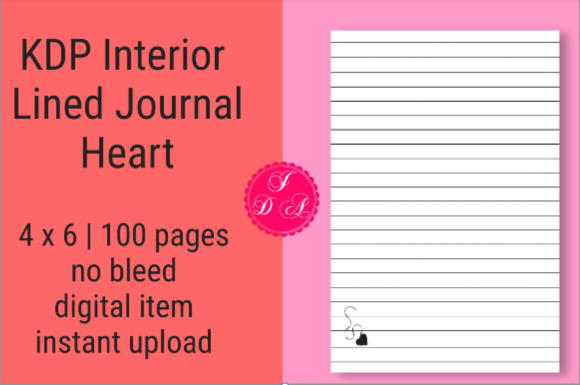
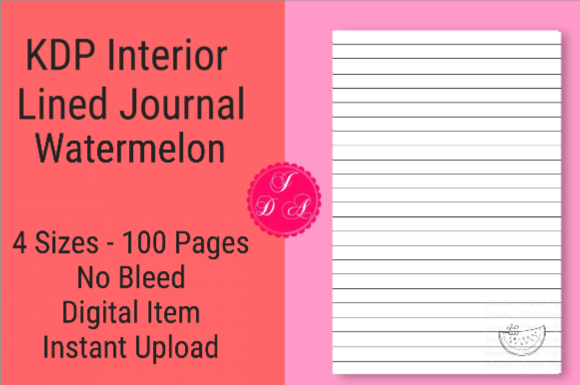
Before uploading any file to Kindle Direct Publishing, you must understand exactly what you are working with. This specific KDP Interiors Watermelon Lined Journal package is designed with versatility in mind, catering to four distinct trim sizes: 4x6, 7x10, 8x10, and 8.5x11. Each PDF contains 100 pages of lined content featuring watermelon motifs, rendered at a high resolution of 300 DPI. This resolution is critical for print clarity, ensuring that the lines are crisp and the illustrations do not appear pixelated or muddy when printed on standard white paper.
The files are provided as ready-for-upload PDFs that have been pre-tested for compatibility. Despite this testing, the responsibility for correct configuration during the upload process remains with the publisher. It is also vital to remember that this listing covers the interior only. You are responsible for creating a cover that matches the exact page count and trim size of the interior you select. Failing to pair the correct cover dimensions with these specific interior files is one of the most common reasons for project delays.
The Critical Distinction Between File Type and Upload Setting
A frequent point of confusion for both new and experienced KDP publishers involves bleed settings. There is often a discrepancy between how a file is constructed and how it must be labeled during the upload process. For this KDP Interiors Watermelon Lined Journal, the files themselves are formatted with NO BLEED. This means the content, including margins and line placement, is contained entirely within the safe zone of the page dimensions without extending to the physical edge of the paper.
However, you must pay close attention to the platform's requirements. While the interior file has no bleed, some trim sizes or specific category selections may prompt KDP to expect a bleed setting, or conversely, users often mistakenly select "Bleed" thinking it improves quality. If you select "Bleed" during upload for a file that was created with "No Bleed" margins, KDP will attempt to stretch or shift your content to accommodate edge-to-edge printing. This results in shifted text, cropped watermelon illustrations, or margins that are too narrow for comfortable writing. Always verify the metadata of your specific PDF against the radio buttons selected in the KDP dashboard. If the file notes state "No Bleed," ensure your upload settings reflect that choice unless you have manually modified the file to extend artwork beyond the trim line.
Why Trim Size Selection Matters More Than You Think
With four sizes available, it is tempting to assume they are interchangeable or that one size fits all niches. Each dimension serves a different functional purpose, and choosing the wrong one can negatively impact customer satisfaction and reviews.
- 4x6: Ideal for pocket journals, travel diaries, or quick note-taking. This size has limited writing space per line, making it less suitable for long-form journaling but perfect for gratitude logs or field notes.
- 7x10: A versatile middle ground often used for school notebooks or personal planners. It offers ample writing space while remaining portable enough for a backpack or tote bag.
- 8x10: Frequently chosen for art journals, sketch-and-write hybrids, or premium stationery. The larger canvas allows for more elaborate watermelon border designs and wider margins.
- 8.5x11: The standard letter size best suited for academic use, lesson planning, or detailed record-keeping. This size maximizes utility but lacks the portability of smaller options.
Selecting a size should be driven by your target audience's intended use case rather than personal preference. A 4x6 watermelon journal marketed as a "comprehensive daily planner" will likely result in returns because customers cannot fit sufficient content on the page. Conversely, an 8.5x11 journal marketed as a "purse-sized diary" sets false expectations. Align your marketing copy and keyword strategy with the physical reality of the trim size you choose.
Cover Creation and Spine Calculation Pitfalls
Since this product provides interiors only, your cover creation process introduces another layer where errors commonly occur. The most significant variable is spine width, which is directly determined by page count. These journals contain exactly 100 pages. When generating your cover template, you must input 100 pages precisely. Using a generic template or estimating based on similar books will result in a spine that does not align with the printed block.
Furthermore, ensure your cover design complements the interior theme without duplicating it excessively. If the interior features bold, colorful watermelons, consider a cover that uses coordinating colors (greens, reds, pinks) with clean typography rather than repeating the exact same pattern. Visual cohesion sells books, but redundancy can make the product feel low-effort. Also, verify that your cover file includes the necessary bleed allowance, even if the interior does not. Covers almost always require bleed to account for trimming variance during manufacturing.
Quality Control Before Hitting Publish
Even though these files are described as tested and ready for upload, prudent publishers always perform their own verification. Download the digital proof from KDP before approving your book for publication. Zoom in to 100% to inspect the line weight and illustration sharpness. Check the first and last few pages specifically, as these are most susceptible to margin issues. Ensure the watermelon graphics are positioned consistently across all 100 pages and that no elements drift toward the gutter binding area.
If you notice any alignment issues in the previewer, do not assume it is a display glitch. Re-examine your bleed settings and margin configurations. It is far better to delay publication by twenty-four hours to fix a formatting error than to publish a defective book that accumulates negative reviews. Remember that customer trust is built on consistency; a professionally formatted interior signals that the creator cares about the user experience.
Strategic Considerations for Seasonal and Evergreen Appeal
While watermelons are inherently associated with summer, thoughtful positioning can extend the sales window. Consider how you frame the journal in your description and backend keywords. Instead of limiting tags to "summer journal," include terms like "fruit lover gift," "cute stationery," "farmhouse aesthetic," or "healthy eating tracker." This broadens discoverability beyond seasonal trends.
Additionally, be transparent about the interior layout in your book description. Clearly state the size, page count, and line spacing. Customers appreciate knowing exactly what they are buying, and transparency reduces return rates. If the lines are wide-ruled versus college-ruled, specify this detail. Managing expectations through accurate product information is a cornerstone of sustainable KDP publishing.
By treating the KDP Interiors Watermelon Lined Journal as a professional publishing component rather than a simple drag-and-drop asset, you elevate the quality of your catalog. Attention to technical details like bleed settings, trim size functionality, and cover integration transforms a basic file into a polished product that readers are happy to purchase and use. Success in low-content publishing comes from respecting the craft and prioritizing the end-user experience above speed of publication.